See It In Action
Every screen built around the light.
Golden hour, live weather, and camera settings worked out for the gear in your bag — in one app, for photographers who plan their shots instead of hoping for them. No account, no subscription, and the AI runs on your iPhone.
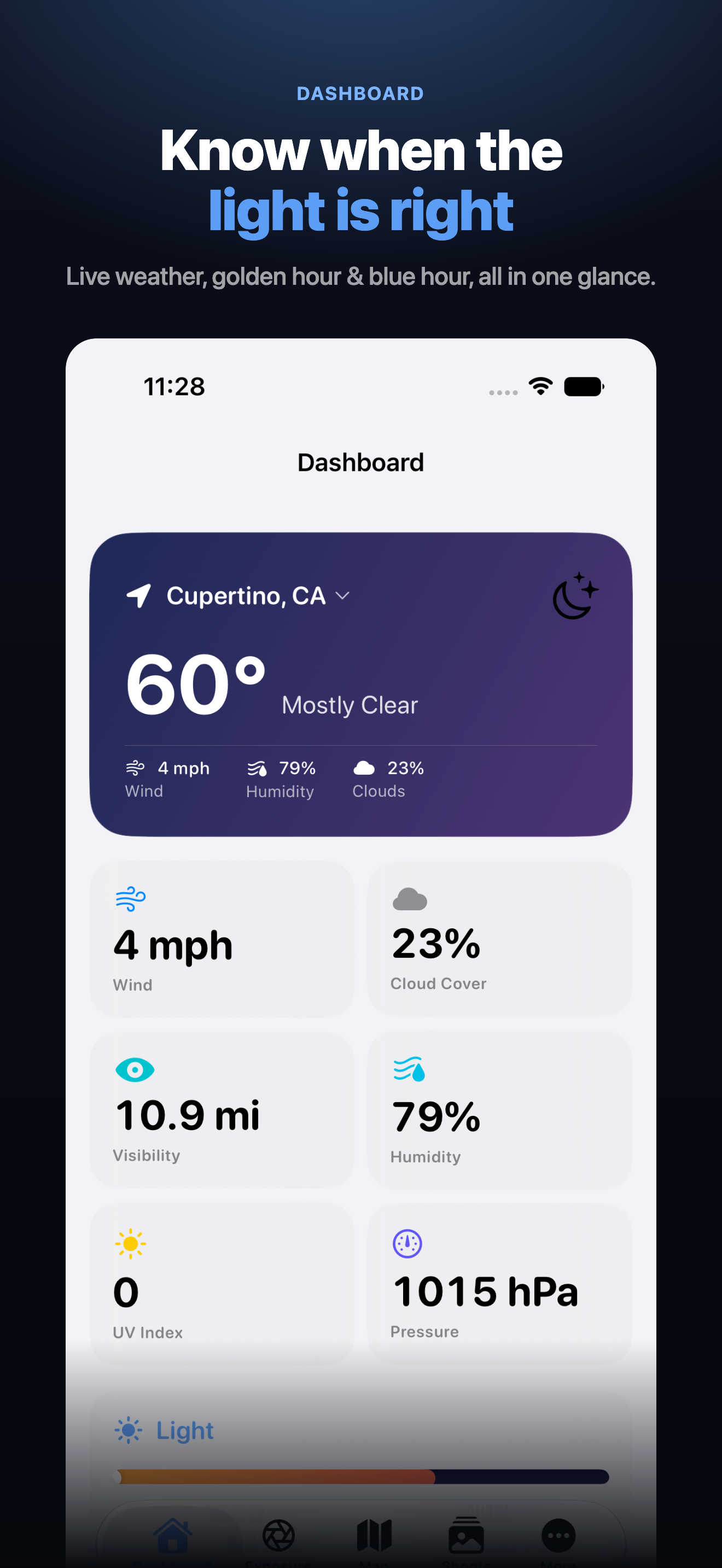
Sunrise, sunset, golden hour, blue hour, moon phase, live weather, and a Photography Conditions Score — all at a glance.
Describe your shot and get ISO, aperture, shutter, and the mode dial position to use — with the reasoning in plain English, worked out on your iPhone.
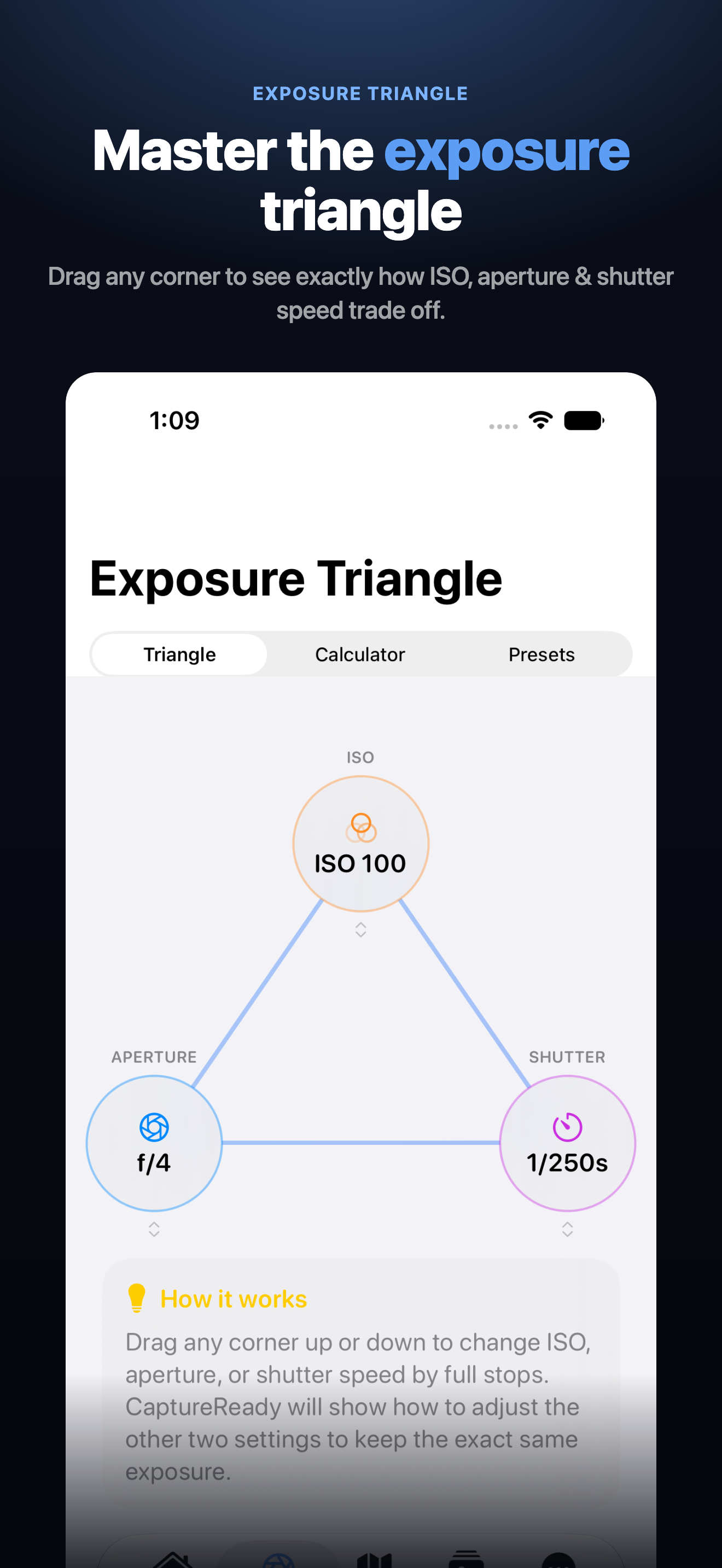
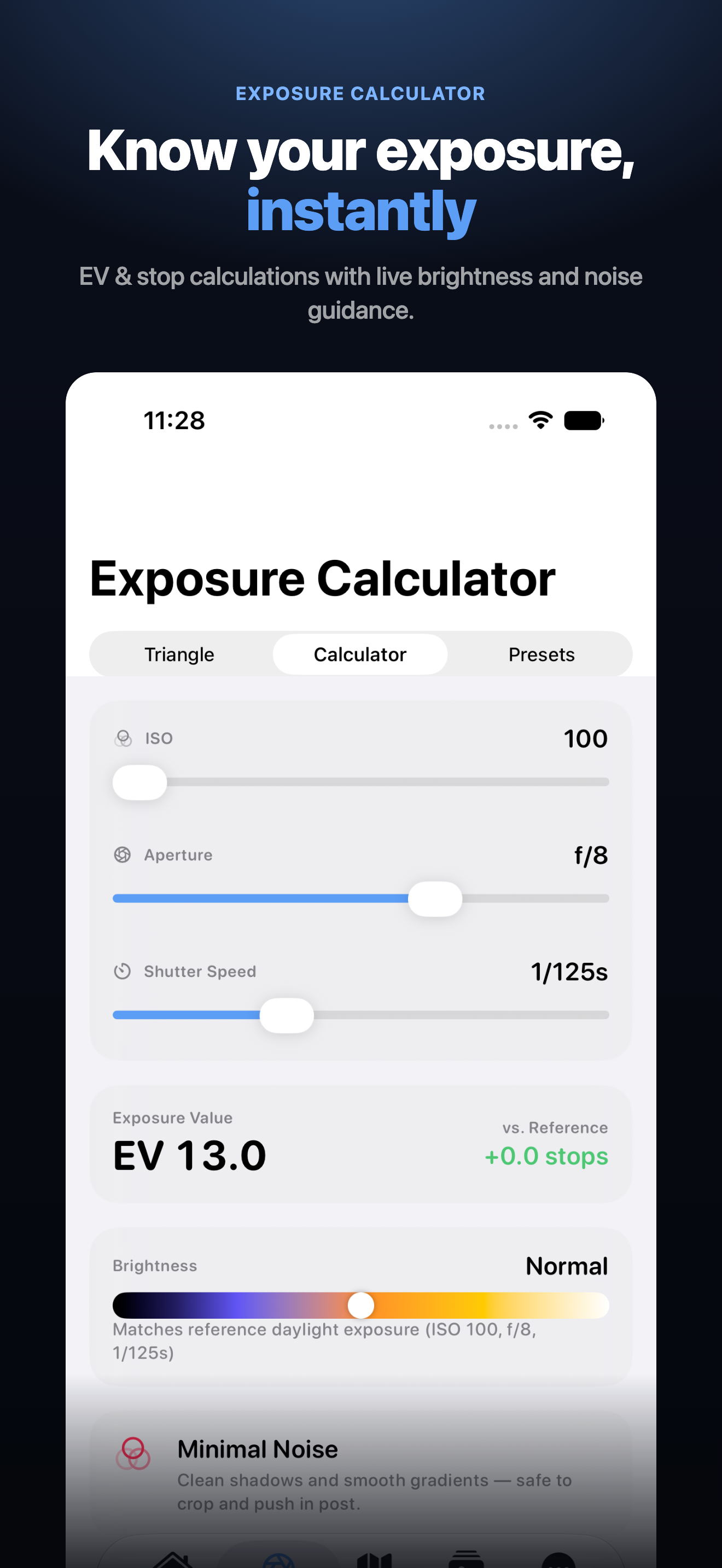
Drag ISO, aperture, and shutter speed and watch the tradeoffs happen live, with plain-English explanations.
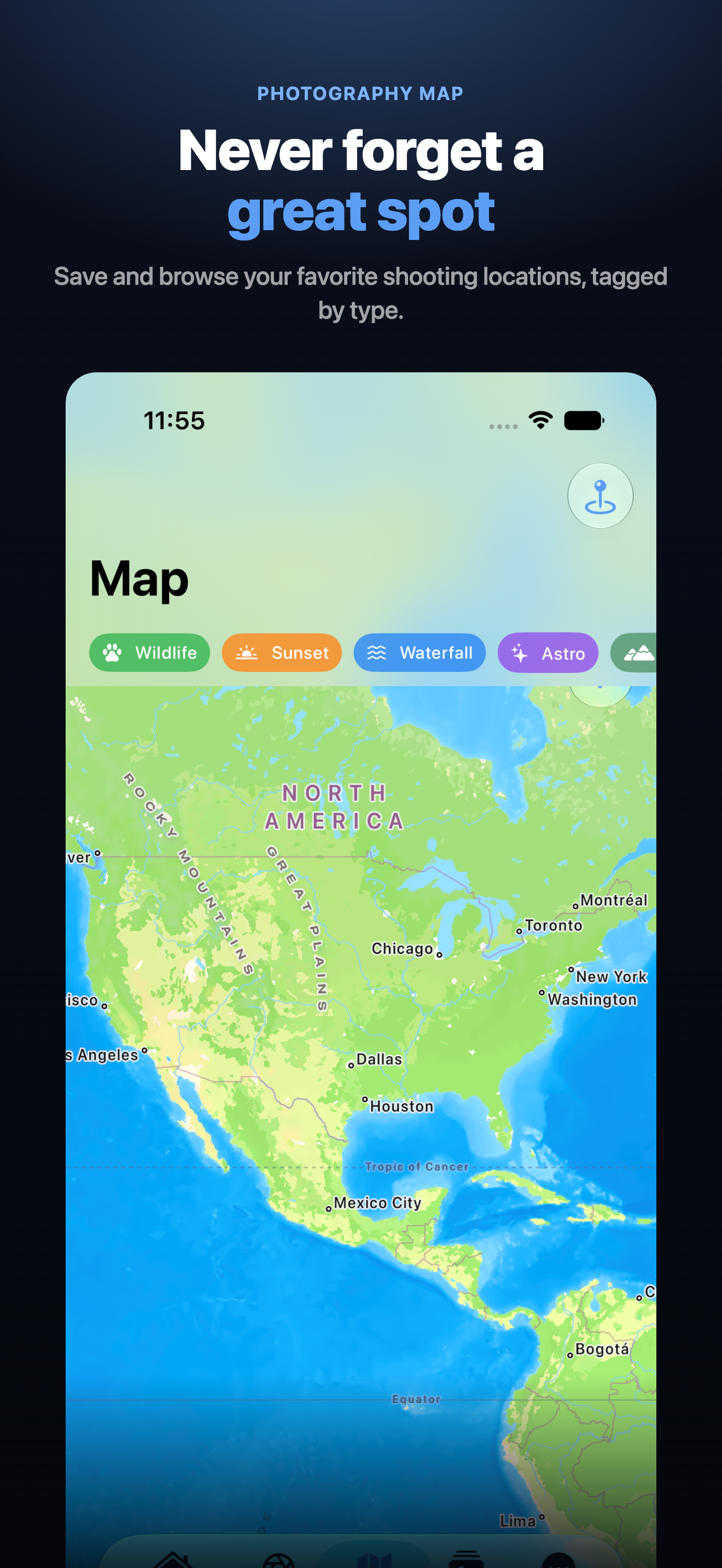
Color-coded pins for wildlife, sunset, waterfall, and astro spots — with best times, gear, and ratings saved.
Track every camera, lens, and accessory you own, and log each shoot with notes, favorite settings, and lessons learned.
Find your camera in a built-in database of 3,600+ models and CaptureReady learns its real ISO and shutter limits. Type a lens name and it reads the specs straight out of it.
Real near and far limits and hyperfocal distance, calculated for your sensor size — so a landscape is sharp from the foreground to the horizon.
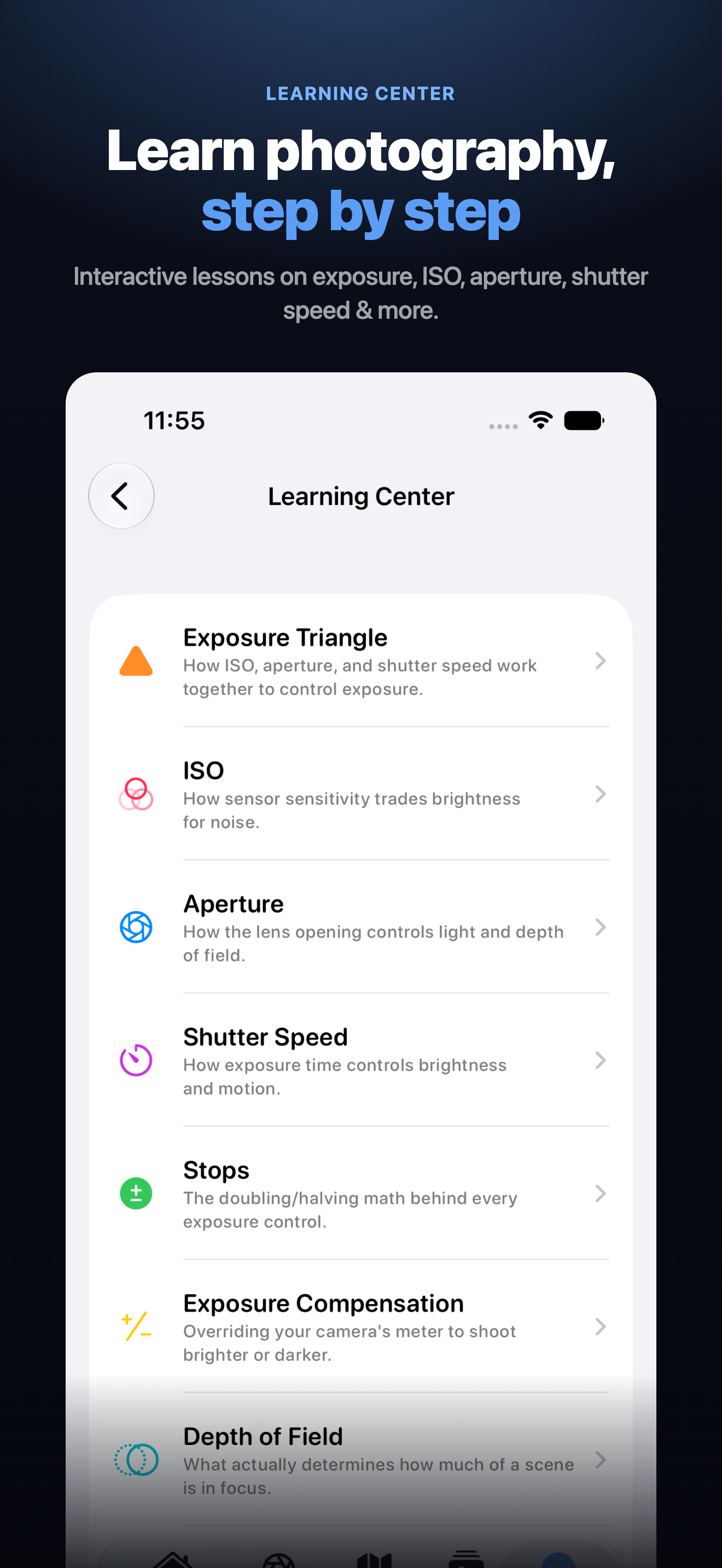
Thirteen interactive lessons on exposure, ISO, aperture, stops, depth of field, camera modes, and the night sky — and they surface in the app right where they apply.
CaptureReady uses Apple Weather for live conditions. If it's briefly unavailable (no connection, or a temporary outage), CaptureReady automatically falls back to a free alternate weather source, and only shows placeholder estimates as a last resort when neither is reachable. Pull down to refresh once you're back online.
A first location fix can take a few seconds to around 15–20 seconds, especially indoors where your device has to fall back from GPS to Wi‑Fi based positioning. This is normal iOS behavior. If it can't get a fix within 15 seconds, CaptureReady lets you tap to retry, or search for a location manually instead.
Everything you save — shoots, gear, presets, journal entries, and pinned locations — lives on your device and syncs to your own private iCloud, so a lost phone doesn't mean a lost library. It never touches a server we operate, and we have no way to see it. If you aren't signed in to iCloud, it simply stays local and the app tells you so under More → Settings → Backup. See our Privacy Policy for full details.
The assistant runs on Apple Intelligence, which needs iPhone 15 Pro or newer on iOS 26 or later, with Apple Intelligence switched on in iOS Settings. On devices that can't run it the tab is hidden rather than shown broken. Everything else in the app works exactly the same, and the exposure maths behind the assistant is calculated either way — only the written explanation needs the model.
The database covers over 3,600 bodies, but not every one ever made. Add the camera by hand in Gear and type its ISO and shutter ranges from the manual; everything downstream works identically. Lenses never need the database at all — type the full lens name and CaptureReady reads the focal length, maximum aperture, and stabilisation straight out of it.
If you've marked a camera or lens as "active" in Gear, CaptureReady limits the Exposure Triangle and Calculator to what that specific gear actually supports. Turn off the active toggle on that item (or don't mark any gear active) to use the full standard range instead.
Email us and we'll get back to you as soon as we can.